# Flex Boxes

### Basisstappen om Flexbox te gebruiken

- Voeg `display: flex;` toe aan de container.
- Gebruik eigenschappen zoals: 
    - **`justify-content`**: Hiermee regel je hoe de items horizontaal worden uitgelijnd. Bijvoorbeeld: `justify-content: center;` zet de items in het midden.
    - **`align-items`**: Dit regelt de verticale uitlijning van de items.
    - **`flex-wrap`**: Hiermee kun je ervoor zorgen dat de items naar een volgende rij gaan als er te weinig ruimte is.

```css
.container {
    display: flex;
    justify-content: center;
    align-items: center;
}

.item {
    width: 100px;
    height: 100px;
    background-color: lightblue;
    margin: 10px;
}
```

#### flex-basis

Stel, je wilt dat een container de hele breedte van de pagina in beslag neemt dan pas je het item aan

```css
.container {
    display: flex;
}

.item {
    flex-basis: 100%;
}
```

More on: [https://css-tricks.com/snippets/css/a-guide-to-flexbox/](https://css-tricks.com/snippets/css/a-guide-to-flexbox/)

#### Basis structuur

[![image.png](https://www.roc.ovh/uploads/images/gallery/2024-10/vMHimage.png)](https://www.roc.ovh/uploads/images/gallery/2024-10/vMHimage.png)
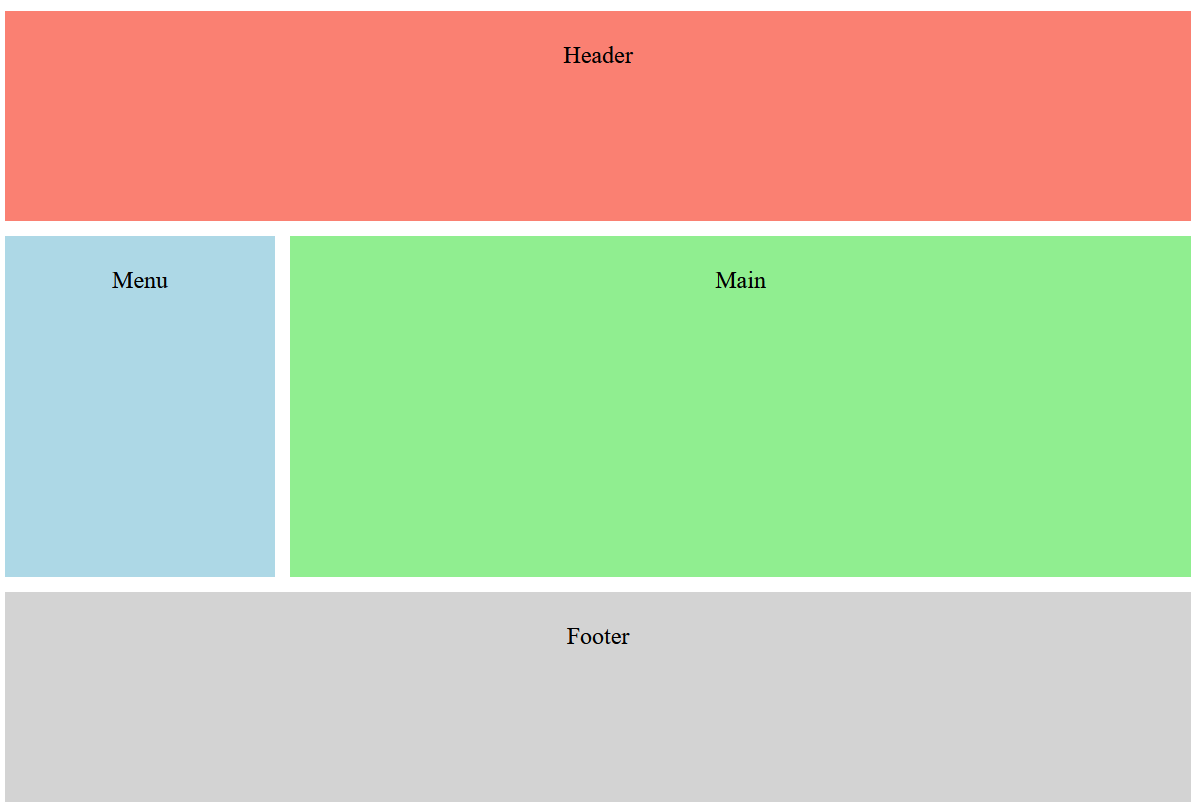
```html
<html>
<head>
    <style>

        .container {
            display: flex;
            flex-direction: column;
            height: 98vh;
        }

        .header {
            background-color: salmon;
            flex: 0 0 100px;
            text-align: center;
            padding: 20px;
        }

        .content {
            display: flex;
            flex: 1;
        }

        .menu {
            background-color: lightblue;
            flex: 1;
            padding: 20px;
            text-align: center;
            margin: 10 10 10 0;
        }

        .main {
            background-color: lightgreen;
            flex: 4;
            padding: 20px;
            text-align: center;
            margin: 10 0 10 0;
        }

        .footer {
            background-color: lightgray;
            flex: 0 0 100px;
            text-align: center;
            padding: 20px;
        }
    </style>
</head>
<body>
    <div class="container">
        <div class="header">Header</div>
        <div class="content">
            <div class="menu">Menu</div>
            <div class="main">Main</div>
        </div>
        <div class="footer">Footer</div>
    </div>
</body>
</html>

```

#### `flex: 0 0 100px;`  


- The item will not grow (`flex-grow: 0`).
- The item will not shrink (`flex-shrink: 0`).
- The item has a fixed size of 100 pixels (`flex-basis: 100px`).

xx

</body></html>